Free trial
Free
The first 5 levels
- Create your adventurer
- Real voices and music
- Parent controls from day one
 ™
Finally, a game you can say yes to.
The Nuggetwood Chronicles™ is a 3D adventure game for children aged 5 and up. Kids explore 50 levels in 5 worlds, build anything, crack riddles in the Secret Vault and win prizes, right in the browser. Parents set the rules with a secret code.
Start free. Pay once. No subscription.
 3 · Whole family
$19.99
Once · up to 5 players, parents too
Save $4.96
Get the family bundle


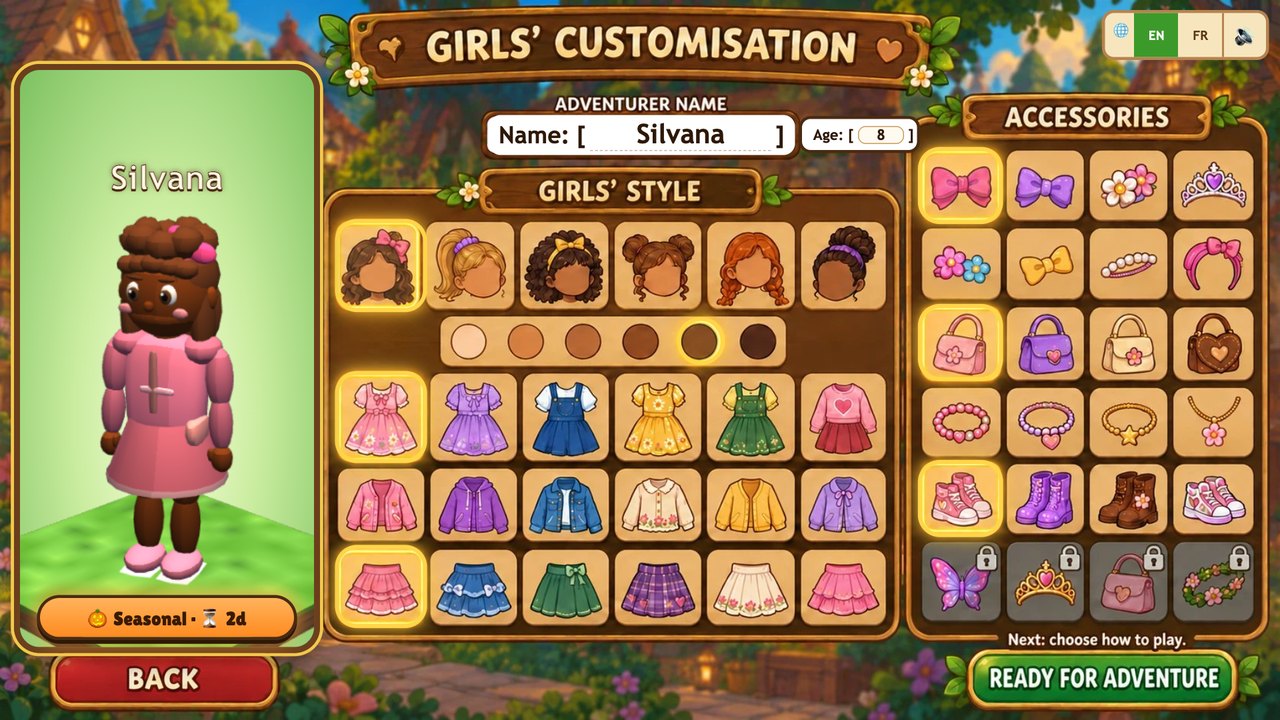

Choose your adventurer
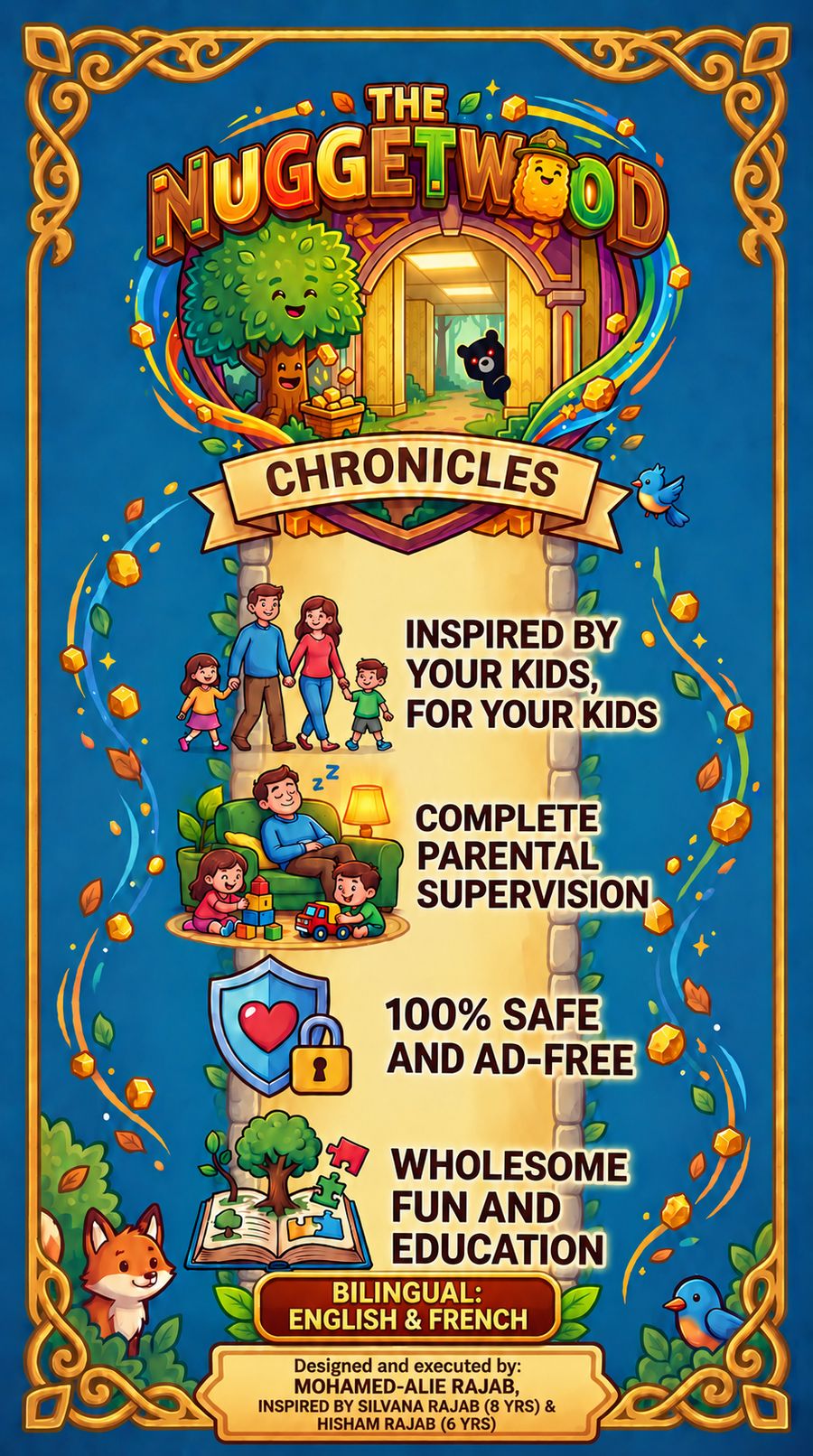
 Inspired by your kids, for your kids
 Complete parental supervision
 100% safe and ad-free
 Wholesome fun and education
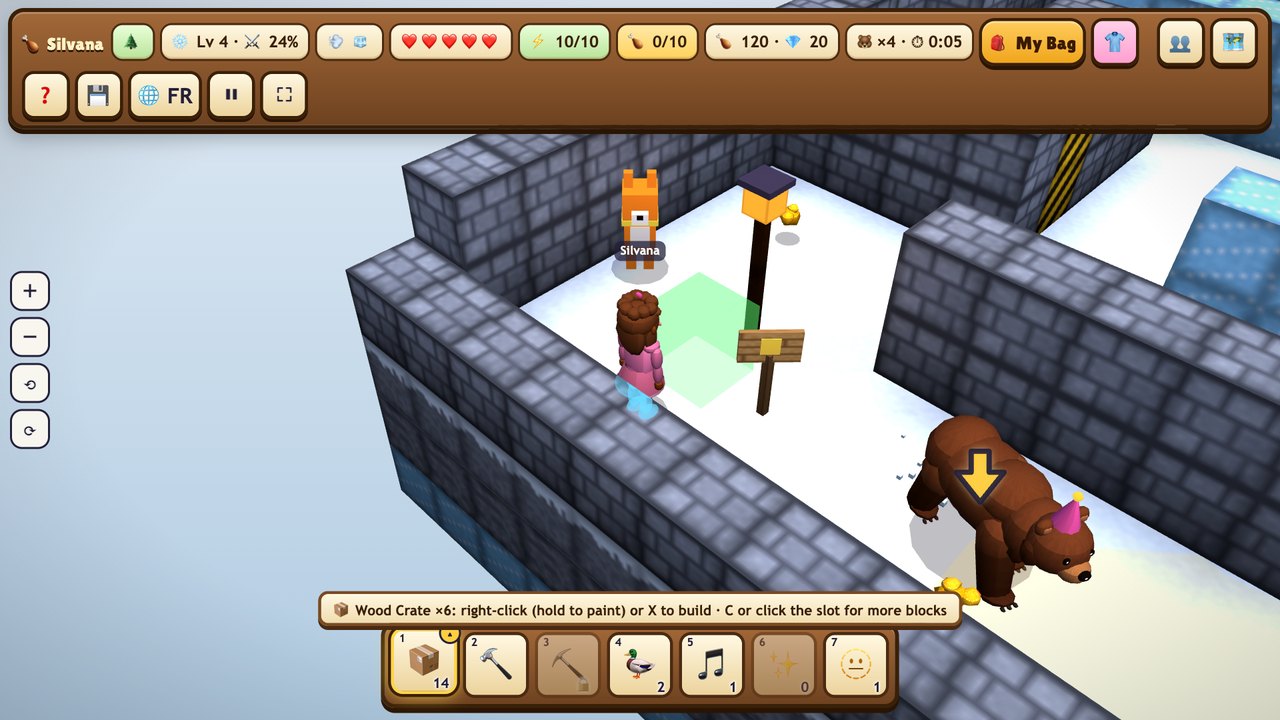
Real screens from the game. Tap the tabs and pictures to look around.
Explore
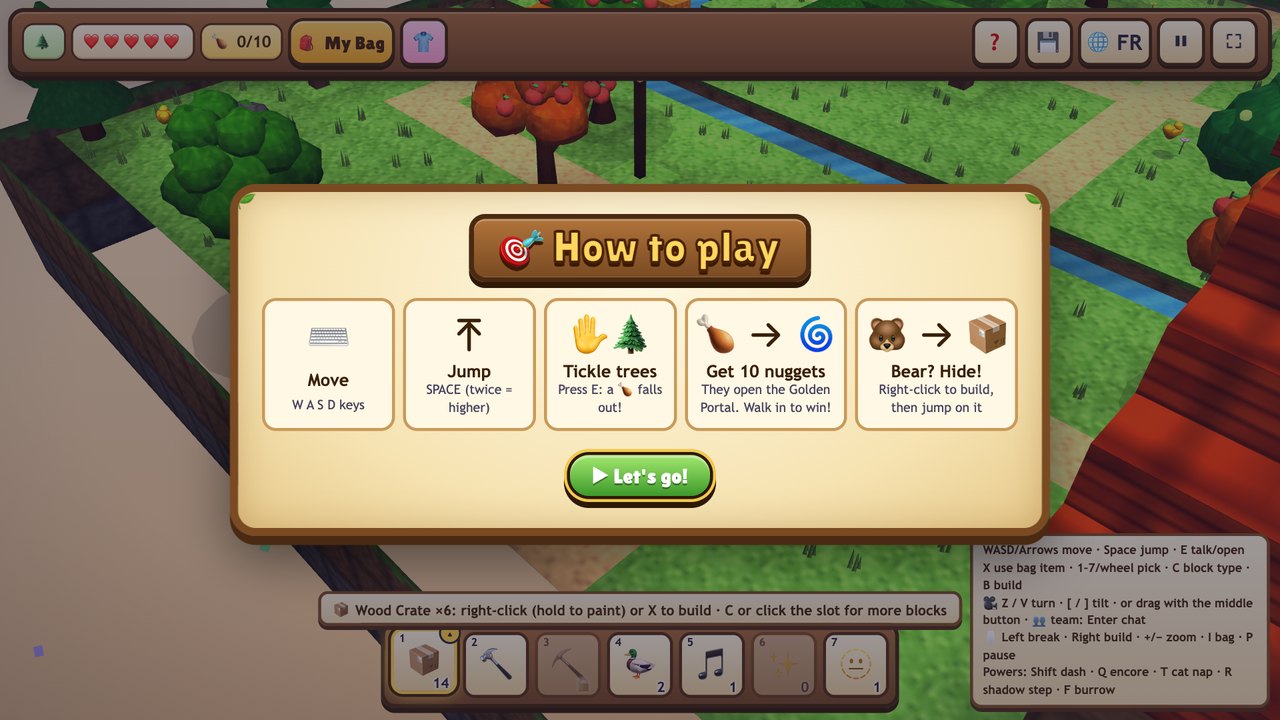
Kids tickle the trees to shake out golden nuggets. Collect them all and the Golden Portal opens the next level. Five worlds to cross: Whispering Woods, Frosty Peaks, Sweet Valley, the Lava Caves and Frostbyte’s Castle, each with its own twists, and a showdown with Professor Frostbyte at the end of every world.
Build
Every block can be placed or broken. Every 5 levels a Build Plot opens, with no bears, and a friend asks for something: Mochi the Moon Cat dreams of a cosy Cat Café, Bloxy the Builder Bot wants a Robot Workshop, and others ask for a Glowing Treehouse or a Lighthouse. Kids first take a 5-question Build Challenge to earn their building time (5 minutes, plus 1 for each right answer), then build it their own way from the friend's wishlist and cut the ribbon at the Grand Opening. Every finished build is saved in their Kingdom, where they can walk and fly around it.
Nugget Match
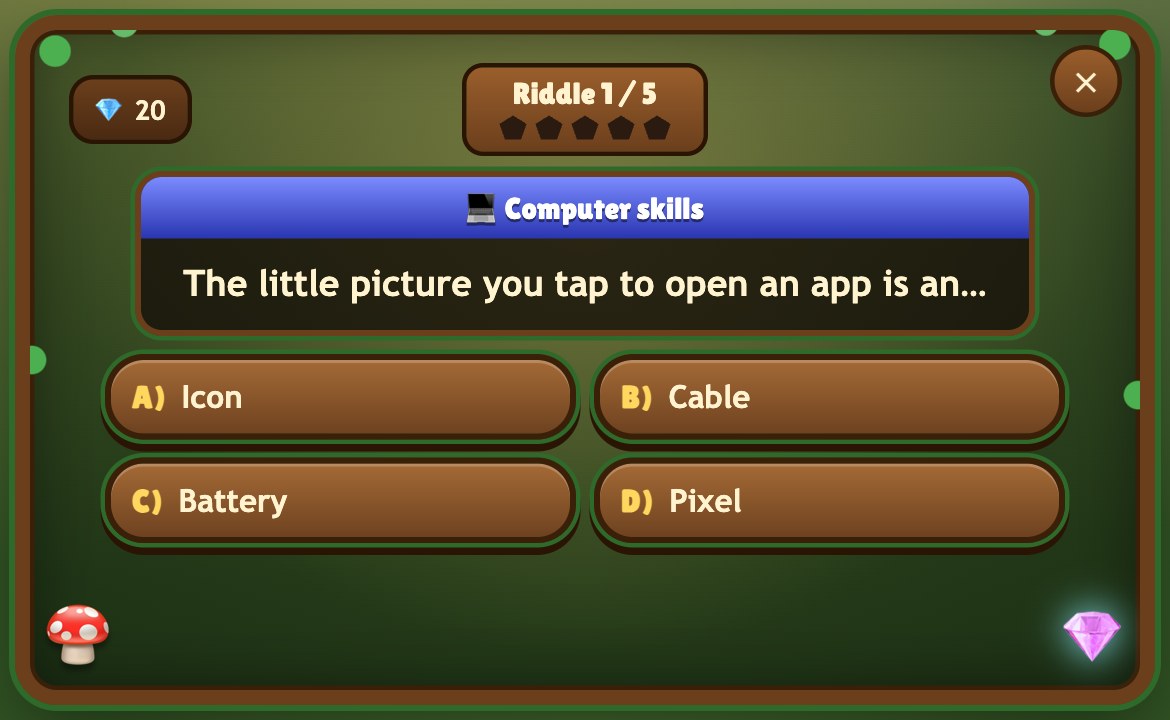
Kids find the Nugget Match machine and the Secret Vault opens: five riddles mixing school subjects with fun topics they love. Right answers win gems; a wrong answer just means try again.
Prizes
Levels, chests and riddles all earn something: new outfits, hats, wings and gear for the dressing room, where kids can change their look any time.
The game quietly learns how each child is doing and tunes the next level. Everyone is a winner.
Zoe and Bram cheer every win in English or French, over an original, calm soundtrack.
Up to 6 players in one level, once a parent says yes. The level suits the whole team's ages and skills, and the nugget goal grows with the team.
No public lobby and no Player IDs. At home, children on your Wi-Fi join with the 4-digit code on the leader’s screen. For a friend in another home, you and the other parent both agree, once, with a one-time code.
Halloween, Winter and Spring hide mystery crates with special blocks and things to wear.
Close the game any time. Next time, you're right back where you stopped.
Fruit trees refill energy, a wrong answer just means try again, and nothing bad ever happens because of hunger.
Snap a Nuggetwood postcard of the adventure. It's kept in My Postcards on the World Map, and you can save it to your device.
Fun and education, without the distraction.
Along the way, the Nugget Match machine opens the Secret Vault: five quick riddles that mix school subjects with fun topics. They match your child's level, get trickier as the levels go up, and fit right into the adventure.
Try the quizCounting, adding and number puzzles that grow with them.
Plants, planets, animals and how the world works.
Words, spelling and grammar, a little at a time.
Great people and big moments, like the first steps on the Moon.
Countries, capitals, flags and the map of the world.
Keyboards and mice, and how to stay safe online.
Questions about the games, cartoons, films and songs they already love.
Set their age once. It quietly learns the rest, so you never have to touch a thing.
Same level. Who’s playing?
🍎🍎🍎🍎🍎 + 🍎🍎🍎 = ?
Counting apples, with 5 Ice-Bears to dodge.
2 × 8 = ?
Times tables, with 5 Ice-Bears to outsmart.
4x + 28 = 80, x = ?
Which organ produces insulin?
Playing too? Enter your age and the game changes gear: 8 Ice-Bears instead of 5, plus questions written for grown-ups, from algebra to science and history. Good luck beating your kids!
Everything you wish the other games did.
Nuggetwood
Many games kids ask for
One secret code. Only you know it.

The Parent Centre first asks for a grown-up's birth year, typed on the game's own keypad, then your secret code. Children can't open it, and deleting a player or resetting the game needs it too.
Set how long they can play each day and when the game says goodnight.
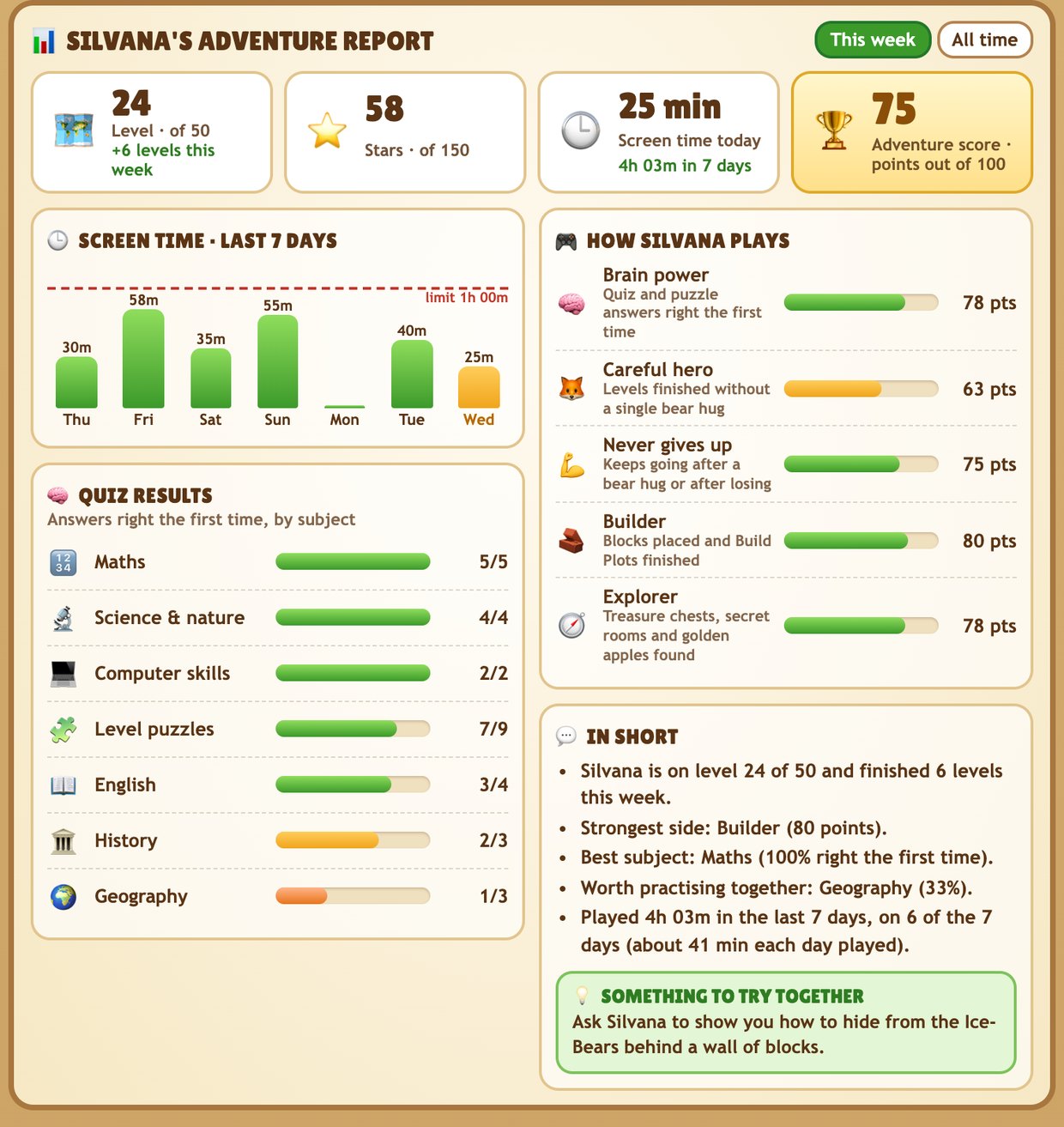
A report for every player: level and stars, screen time, quiz results by subject and how they play. It stays on your device.
There's no public lobby and no Player IDs. Children on the same Wi-Fi play together by typing the 4-digit join code on the leader's screen, and only if you allow it: Wi-Fi play off, ask me, or on. A friend in another home needs a one-time code that one parent sends the other, and either parent can remove a friend or switch friends off.
Every player chats with friendly ready-made phrases. No typing and no voice, for anyone. Block, mute and report are always one tap away.
Open the Parent Centre right on your child's device, and back up everyone's progress to a file whenever you like.
Every week
Each child gets their own report in the Parent Centre, and so do you when you play too. Look at this week, or everything since the start.
It stays on your device, for your family only.
 The real game
No public lobbyNo real names shownNo location sharingNo ads, no trackingReady-made chat only
Up to 5 players on one device, each with their own colour.
Who is playing today?
SilvanaGolden YellowHishamForest GreenPlayer 3Sky BluePlayer 4Sunset Red+ Add playerSoft PurpleBrothers and sisters each get their own adventurer, progress and prizes on the same phone, tablet or computer. The game opens on “Who is playing today?”, with a colour card for every player, so even children who can't read yet tap straight to their own.
Start free. Pay once if you love it.
Free
The first 5 levels
$4.99
One-time purchase · 1 player
$19.99
Parents play too!
One-time purchase · up to 5 players, parents included
Straight answers, before you decide.
Yes. No ads, no public lobby and no strangers: a team is only children on your home Wi-Fi, with the 4-digit code on the leader’s screen, or friends that you and the other parent both approved with a one-time code. Nothing happens without your OK. Nobody sees a real name. Chat is friendly ready-made phrases only: nobody can type or talk.
No subscription, ever. Children can't buy anything on their own: optional gem packs exist, but only a grown-up can open them, behind your parent code.
Phones, tablets and computers, in Safari, Chrome, Edge and other modern browsers. Install it in one tap, or use the Mac installer.
It starts gently and quietly adapts to how each child plays, with its own settings for little ones, older kids and even grown-ups.
Yes, and we hope you will. Up to 5 players on one device, each with their own colour card, progress and prizes, and grown-ups get levels tuned for adults. The Family Bundle covers everyone, once.
Then you've paid nothing: the first 5 levels are free, so you can watch your child play before you decide.
Inspired by your kids, for your kids.
A note from the maker
My children kept asking me to download games I didn't feel were safe for them, and I kept saying no. So I asked them a different question: what do you love about those games?
I took their ideas and their favourite kinds of games, and I built something new around them. A world that keeps them entertained, keeps them focused and, above all, keeps them learning.
That world became The Nuggetwood Chronicles™. Silvana and Hisham gave it its ideas. Now it's ready for yours.
Mohamed-Alie Rajab
Nothing to download from a store. Nothing filling up the tablet.
Safari, Chrome, Edge or any modern browser, on phones, tablets and computers.
Tap “Install the game” on the first screen. On a Mac, the installer adds it to Applications, the Desktop and the Dock.
Once installed, it starts straight away from a copy on the device, and updates arrive quietly in the background. Playing together needs to be online.
On phones and tablets it plays sideways: a big joystick under one thumb, Jump and the action button under the other. Or switch the joystick off and just slide that thumb to walk. Drag a finger on the other side to turn and tilt the view, and pinch to zoom. Left-handed controls swap the sides.
Two short videos walk you through it.
Start with 5 free levels today. If your children love it, the whole family plays for one price, once.
Questions about the game, setup or buying? We read every message.
Your message is on its way. We'll reply by email.